Search by brand

Login
To More Inquiry
How to Connect Bluetooth to Car: Easy Step-by-Step Guide
Updated at :
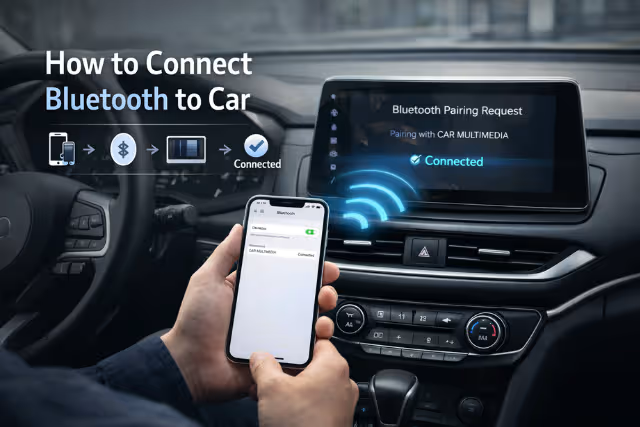
Knowing how to connect bluetooth to car systems is now essential for safe and comfortable driving. Bluetooth allows you to make hands-free calls, play music, use navigation voice guidance, and stay focused on the road.
Whether you drive an older model or a modern car with a touchscreen system, the basic steps remain similar. This guide explains everything in clear, simple language so anyone can follow it without stress.
In this article, you’ll learn how to connect bluetooth to car, how to pair different phones, fix common problems, and get the best experience from your car’s audio system.
How to Connect Bluetooth to Car in Simple Steps
Follow these basic steps to understand how to connect Bluetooth to car successfully.
- Start your car and turn on the infotainment or audio system
- Open Settings on your car screen
- Select Bluetooth or Phone Pairing
- Turn Bluetooth ON
- Open Bluetooth settings on your mobile phone
- Select your car’s name from the available devices
- Confirm the pairing code on both devices
Once connected, your phone will pair automatically the next time you start the car.
How to Connect Phone to Car Bluetooth (Android Devices)
Android phones are easy to connect and work well with most car systems. If you’re learning how to connect phone to car bluetooth, just follow these simple steps:
Steps:
- Go to Settings → Bluetooth on your phone
- Turn Bluetooth ON
- Choose your car’s Bluetooth name from the list
- Accept the pairing permission
Once connected, calls and music will play directly through the car speakers, making everyday driving more convenient and hands-free.
How to Connect iPhone to Car Bluetooth
If you’re using an iPhone, the process is almost the same.
Steps:
- Open Settings → Bluetooth
- Turn Bluetooth ON
- Tap your car’s name under available devices
- Confirm the pairing code
This method explains clearly how to connect iPhone to car bluetooth without extra apps.
How to Connect Car Bluetooth to Phone (First-Time Setup)
If your car has never been paired before:
- Reset Bluetooth settings in the car system
- Delete old paired devices
- Restart both car system and phone
- Try pairing again
This helps when learning how to connect car bluetooth to phone for the first time.
Common Bluetooth Features After Connection
How to Connect Mobile to Car Bluetooth (Older Cars)
Older cars may not have built-in Bluetooth. If you’re wondering how to connect mobile to car bluetooth in such cases, a Bluetooth FM transmitter is a simple and affordable solution.
Steps:
- Use a Bluetooth FM transmitter
- Plug it into the car’s charging port
- Tune the radio frequency on your car stereo
- Pair your mobile phone with the transmitter
This method still lets you enjoy Bluetooth calling and music, even in cars without factory-fitted Bluetooth support.
Why Bluetooth Connection Matters While Driving
Learning how to connect bluetooth to car improves safety. You avoid holding your phone while driving, reducing distractions and accidents.
It also enhances comfort by letting you control music, calls, and navigation through steering controls or voice commands.
Common Bluetooth Connection Problems & Fixes
Tips for Stable Bluetooth Connection
- Keep phone software updated
- Avoid pairing multiple phones at once
- Delete unused paired devices
- Keep phone battery charged
These tips make Bluetooth smoother and more reliable.
Conclusion
Understanding how to connect bluetooth to car is simple once you know the right steps and settings. Whether you use an Android device or an iPhone, Bluetooth connectivity helps make driving safer, smarter, and far more enjoyable by keeping your hands on the wheel and your focus on the road.
With this guide, you can confidently connect your phone, troubleshoot common pairing issues, and get the best out of your car’s audio system. From playing your favorite music and podcasts to answering calls hands-free, Bluetooth adds everyday convenience to every drive. Once set up properly, it becomes a feature you’ll rely on every time you start your car.
Frequently Asked Questions (FAQs)
1. How long does Bluetooth pairing take?
Usually less than one minute for first-time set up.
2. Can I connect multiple phones to one car?
Yes, but only one phone works actively at a time.
3. Why does my car Bluetooth disconnect?
Low battery, outdated software, or interference can cause this.
4. Is Bluetooth safe to use while driving?
Yes, when used hands-free, it improves safety.
5. Do all cars support Bluetooth?
Most modern cars do. Older models may need adapters.